
A five-year-old child struggling with letter recognition, a second-grade student who still confuses multiplication tables with addition: in both cases, we are looking for an immediately accessible tool, without downloads, that doesn’t turn the session into a chore. Online educational games meet this specific need, provided the right format is chosen for the appropriate level.
Educational games disguised as mainstream games: a path to explore
We often think of traditional school platforms, but a recent trend is changing the game. Several publishers now integrate math or logic exercises directly into games that appear purely recreational (races, hair salons, arcade games). SKIDOS, for example, offers over 1,000 games where learning is embedded in activities designed for children aged 3 to 8.
The concrete benefit: the child does not perceive the school aspect. They play a racing game and solve addition problems to unlock the next track. This transforms screen time into active exercise, without the usual resistance to a medium identified as “work.”
To identify these free online educational games, we check two things: the presence of a clearly stated educational objective in the description, and the absence of random reward mechanisms (loot boxes), which fall under pure entertainment and raise questions about addictive mechanisms in minors.
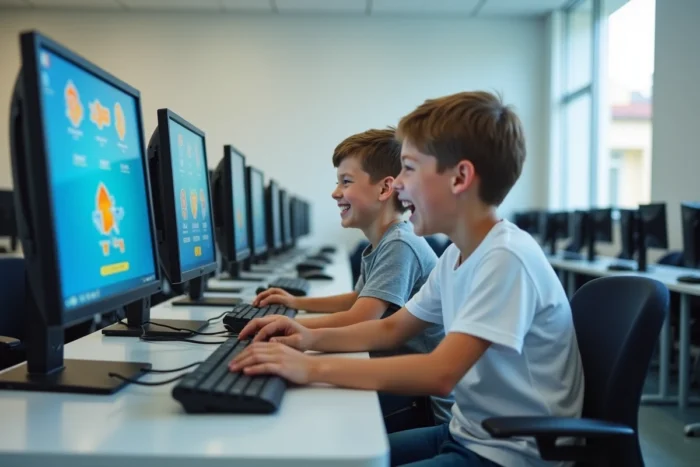
Adapting educational games to school levels: preschool, first grade, and cycle 3
A color recognition game is of no interest to a fifth grader. A quiz on the passé composé will frustrate a kindergarten student. The primary selection criterion remains the school level, not the age range displayed by the publisher.
Preschool: letters, numbers, and observation
The most effective activities at this age target three skills: memorizing the alphabet, recognizing numbers from 0 to 10, and naming animals or everyday objects. Platforms like ieducatif.fr offer online exercises playable directly in the browser, with a breakdown into small section, medium section, and large section.
We prioritize short games (two to five minutes per session) and those without text, as the child cannot read yet. Audio feedback (a voice pronouncing the letter or number) replaces written text.
First and second grade: reading, addition tables, and encoding
At this stage, syllabic reading games and exercises on addition tables from 1 to 5 form the foundation. The site educatifenfants.com structures its games by discipline and level, which avoids wasting time searching for suitable content.
One point to check: the game must provide immediate feedback (instant correction, not a global score at the end of the game). It is this quick feedback that anchors the correct answer in memory.
Third, fourth grades, and middle school: quizzes, spelling, and logic
Lumni, the France Télévisions platform, offers videos and quizzes organized by grade, from primary to high school. For revisions or preparation for the diploma, the content is aligned with the official school curriculum. There are also resources for learning English, a subject where the interactive format makes a real difference compared to paper worksheets.
PEGI classification and addictive mechanisms: what to check before letting them play
In France, the PEGI system is now mandatory for video games, including those accessible online. This age classification (3, 7, 12, 16, 18) also indicates the type of content present (violence, language, fear). For an educational game aimed at a preschool child, we ensure that the PEGI 3 classification is displayed.
Beyond age, feedback varies on the issue of reward mechanisms integrated into certain so-called educational games. Ongoing work at the European level and in the UK aims to regulate loot boxes and random rewards, considered potentially addictive for young players.
Here are the points to check before approving a game for a child:
- The PEGI classification matches the child’s age, and the description mentions neither in-app purchases nor random rewards
- The game operates without account creation or collection of personal data (email address, name, photo)
- Sessions have a limited duration or a finite number of levels, to avoid continuous play without breaks
- The educational content is explicitly linked to the school curriculum or an identifiable skill (reading, math, logic)

Organizing online educational game sessions: frequency and duration
Leaving a child alone in front of a screen with an educational game for an hour does not yield measurable educational results. Short and regular sessions are more effective than a long weekly session.
Aiming for slots of ten to fifteen minutes for a preschool child, and up to twenty-five minutes for a cycle 3 student. An adult should remain nearby, at least for the first uses, to ensure that the child understands the instructions and does not get stuck in a loop on an exercise that is too difficult.
A practical point often overlooked: alternating the mediums. An online math game on Monday, a reading game on Wednesday, an English quiz on Friday. This rotation prevents boredom and covers several subjects without overloading a single skill.
- Preschool: two to three sessions of ten minutes per week, on letter, number, or observation games
- First and second grade: three sessions of fifteen minutes, alternating reading, math, and logic
- Third grade and beyond: three to four sessions of twenty minutes, with subject-specific quizzes and strategy or logic games
Online educational games do not replace the class or the exercise book. They function as a complement, especially for children who need a different format to grasp a concept. A child who struggles with multiplication tables in class may click with a timed game where competition against oneself replaces the pressure of the blackboard. It is this complementarity that makes the tool useful, provided the framework is maintained.